Sheet 03 · Site survey · 7°38′S 112°54′E

Cafe ordering and POS system 2026

Pivot Caffe

A cafe ordering system where customers order from a table QR code, with an admin panel for orders, menu, tables, promos, and Midtrans payments.

Laravel 12 PHP 8 Blade MySQL SQLite Midtrans PHP SDK Simple QrCode Font Awesome
Role Full-stack Developer
Year 2026
Stack Laravel 12, PHP 8, Blade, MySQL
Team Solo build
Overview

What this project needed to solve

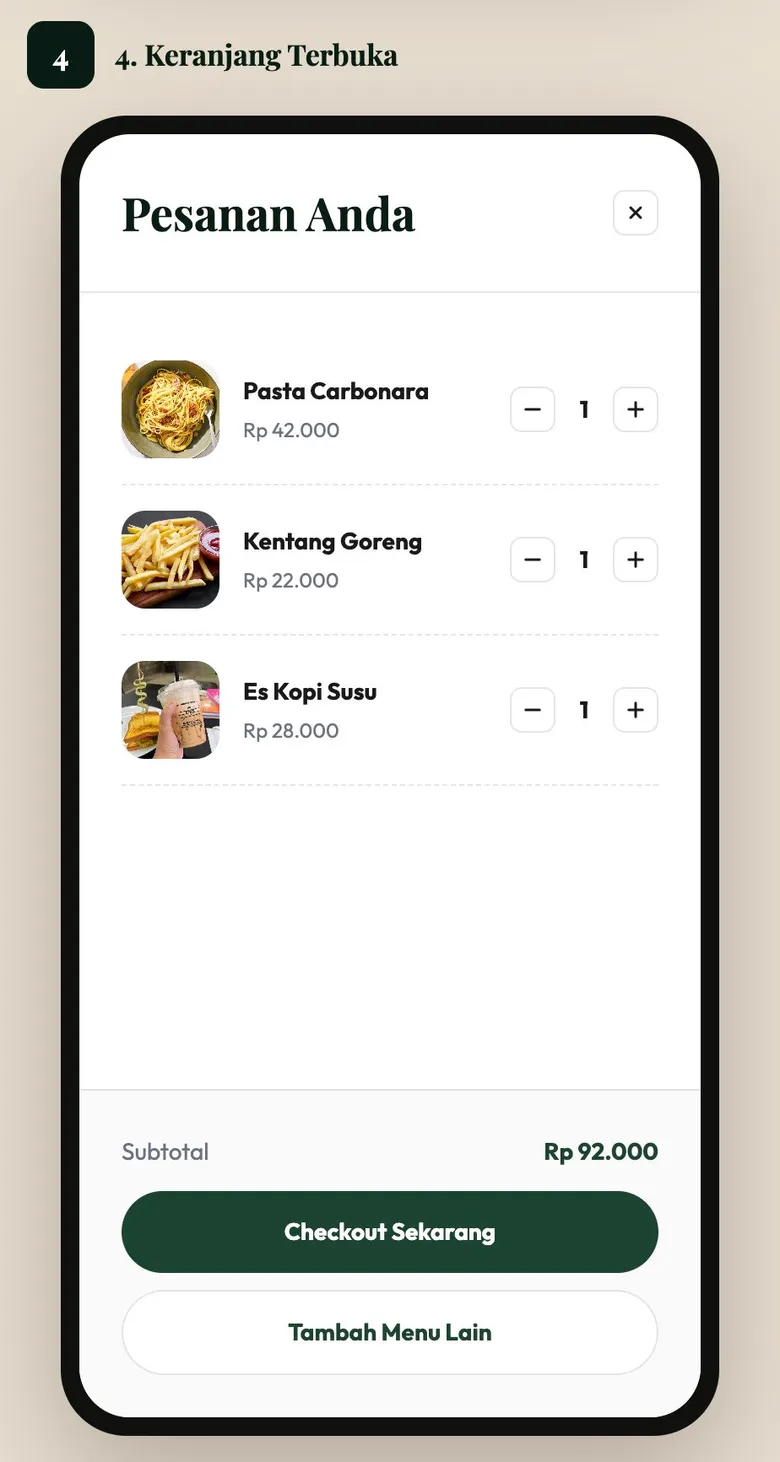
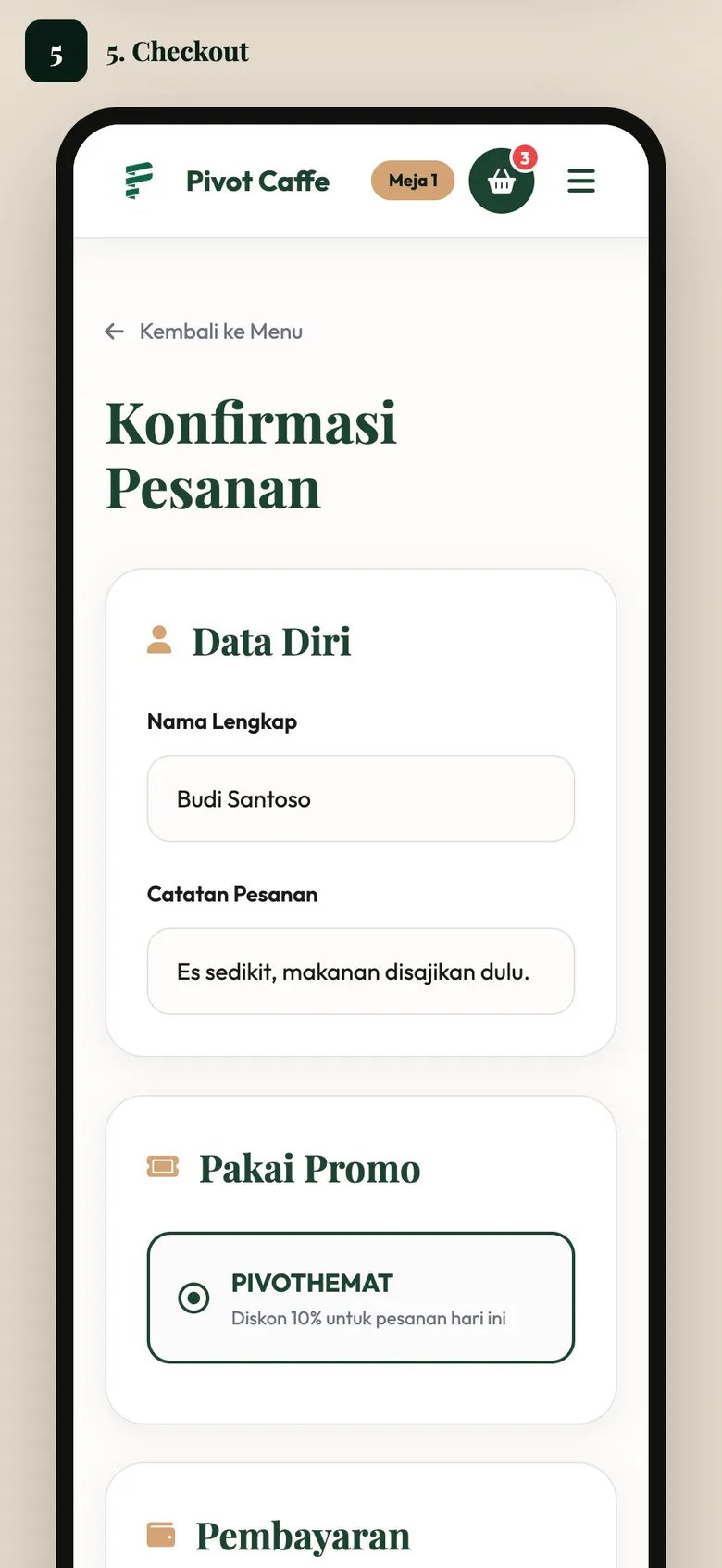
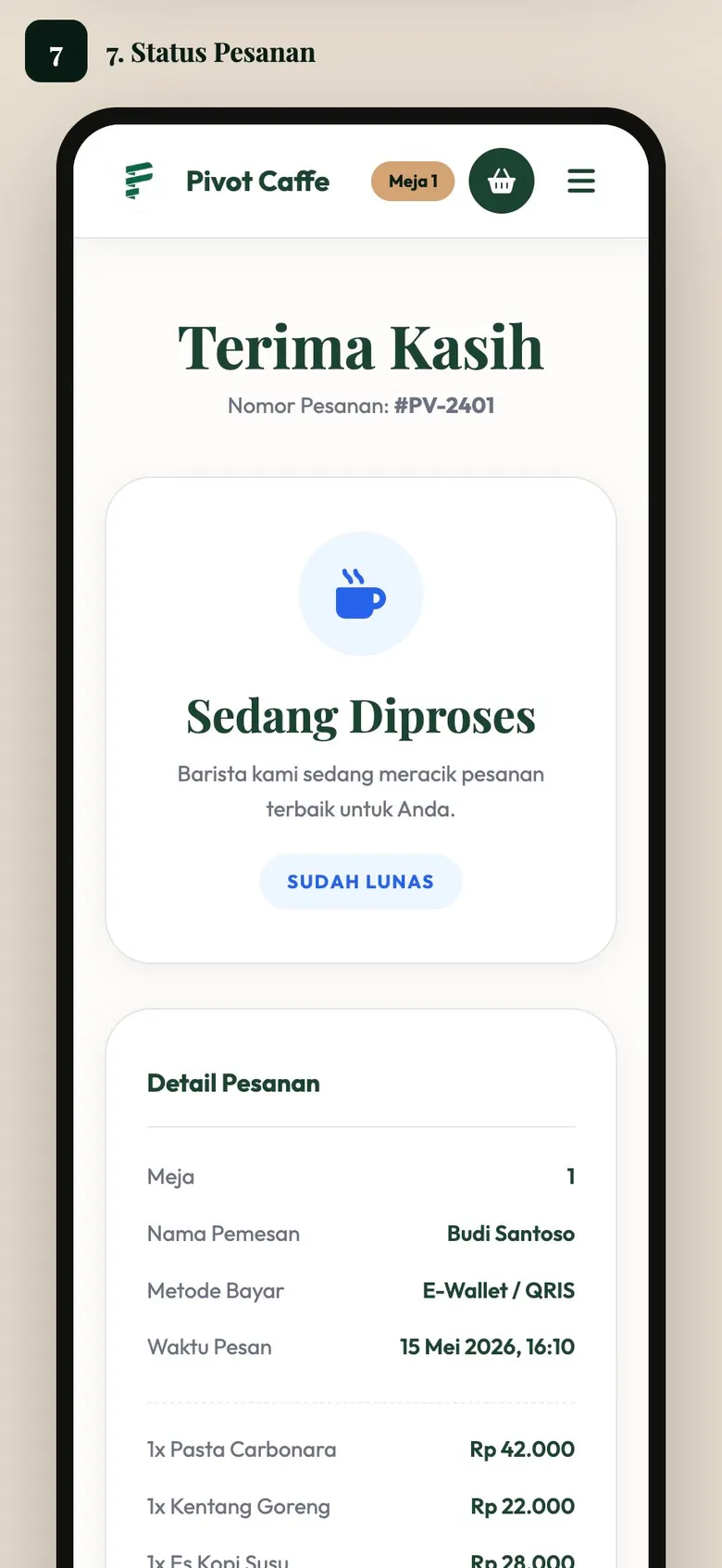
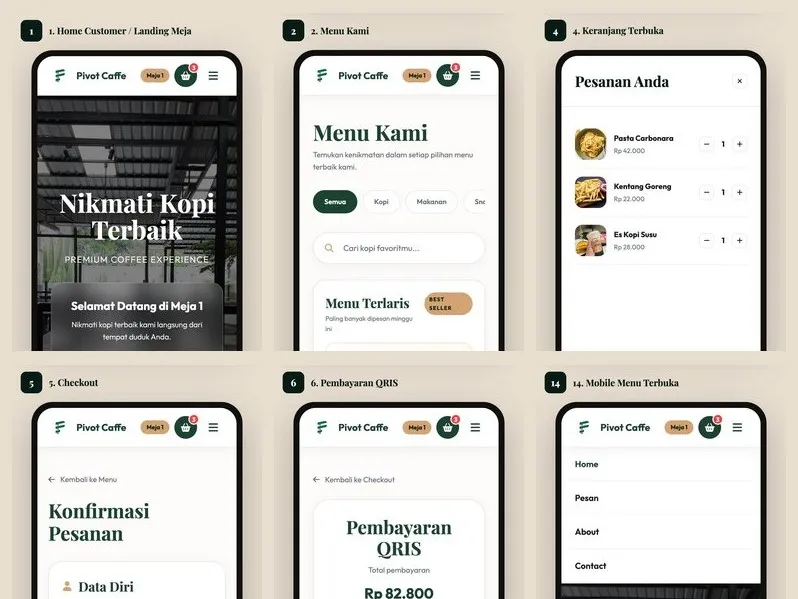
Pivot Caffe is a Laravel 12 ordering and POS application for a cafe. Customers scan a table QR code to browse the menu, add items to a cart, check out with cash or a Midtrans e-wallet payment, track order status, leave feedback, and call a waiter without logging in. Staff use an admin panel to monitor orders and manage menu items, categories, tables and their QR codes, promos, feedback, contact messages, and waiter calls. The project also includes a static 14-page mobile HTML prototype of the customer flow.
Problem framing

From messy workflow to clearer product requirements.

The work started by separating staff operations from customer booking needs, then turning both into clearer product requirements.

Challenge

What made the work difficult?

A table-service cafe needs customers to order from their seat without creating an account, while staff still see each order tied to the right table. Payments have to support both cash at the cashier and e-wallets, and the order status must stay consistent after an online payment completes. The customer flow also had to be reviewable as a mobile design before depending on a database or a payment gateway.

User and business need

What had to become clearer?

How can a cafe let guests order and pay from their table on their own phone, while staff manage menus, tables, promos, and incoming orders from one admin panel?

Process

How the project moved from requirements to usable flow.

01

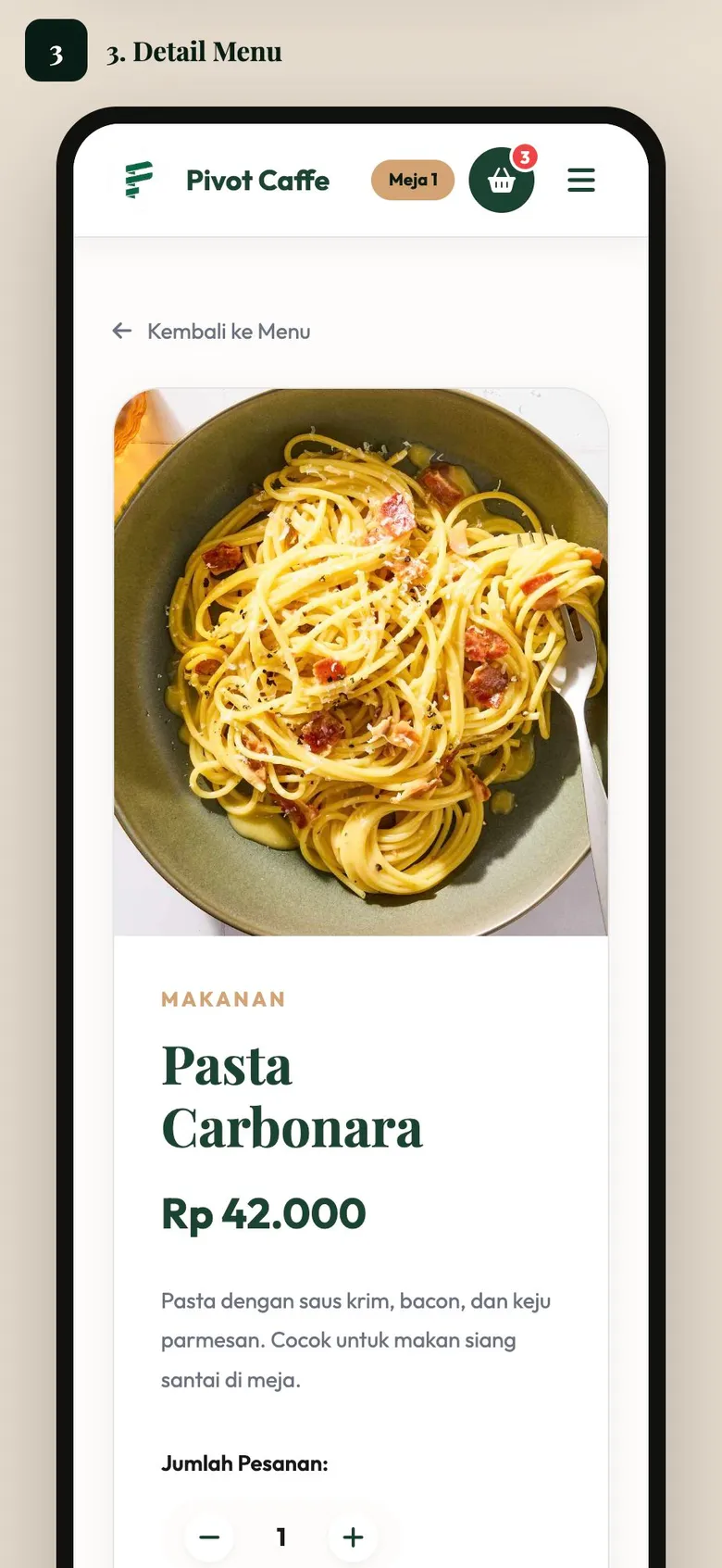
The customer journey was laid out first as a static mobile prototype with 14 numbered pages, covering the table landing page, menu, item detail, cart, checkout, QRIS payment, order status...

Solution

What I built and why it mattered

Each table receives a unique token, and the admin panel generates its QR code with Simple QrCode, so scanning it opens the menu already linked to that table. Customers build a cart, apply a promo code, choose cash or e-wallet, and follow their order status; e-wallet payments go through the Midtrans PHP SDK with a payment notification callback route. The admin side covers a dashboard, order monitoring, and management of menus, categories, tables and QR codes, promos, feedback, contact messages, and waiter calls.

Outcome

Impact and proof points

The system lets guests order and pay from their table without an account or waiting for staff, and lets them call a waiter from the same page. Staff manage the whole menu, table QR codes, and promos from one panel and see orders, feedback, and waiter calls as they arrive. The static prototype is published online so the customer experience can be reviewed without installing the application.

Reflection

What this case says about how I work.

Start from the real workflow before deciding the interface structure.

Make system states visible so users know what happened and what to do next.

Write interface copy that reduces follow-up questions, not just fills empty space.